I hope someone can assist. I’ve went through multiple forums after doing Google and forum searches but no solution they have implemented helps my situation.
My vPilot keeps disconnecting. A few weeks ago it was mostly only when I’m on approach to an airport, now it’s constantly every 15-20min. At first I though maybe FS2024 is downloading the scenery then vPilot doesn’t have enough bandwidth and disconnects. So I purchase an airport scenery, installed it, fly it so it goes into my cache, connect vPilot, disconnects on approach again.
I’ve set my FS rolling cache up to 16GB.
I’ve uninstalled and reinstalled vPilot. I installed it into c:/vPilot (this was a suggestion with someone who had similar issue).
My internet is good, ping 3ms, 6ms on a bad day (which is still very good). Download 100mbps, 60mbps up.
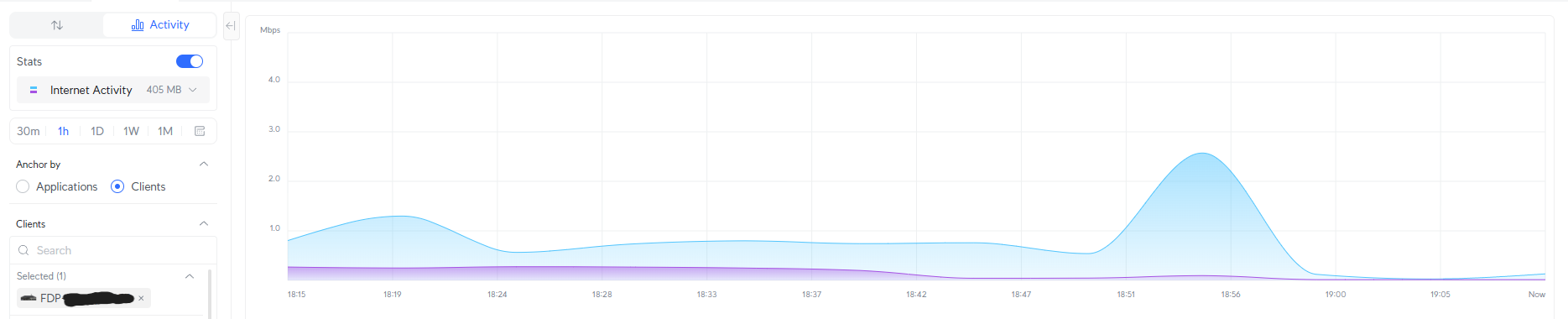
I have an Ubiquiti router which gives very good insights, I checked logs and firewall and nothing gets blocked. I even disabled my firewall completely for one flight to test and still had disconnects. My router shows my peak (throughput) download is around 15-20mbps and upload around 5-15 mbps during these vPilot disconnects, so it’s not even close to my limits.
Please I’m out of ideas and frustrated by now, if someone from vPilot/support can actually assist I will really appreciate it.
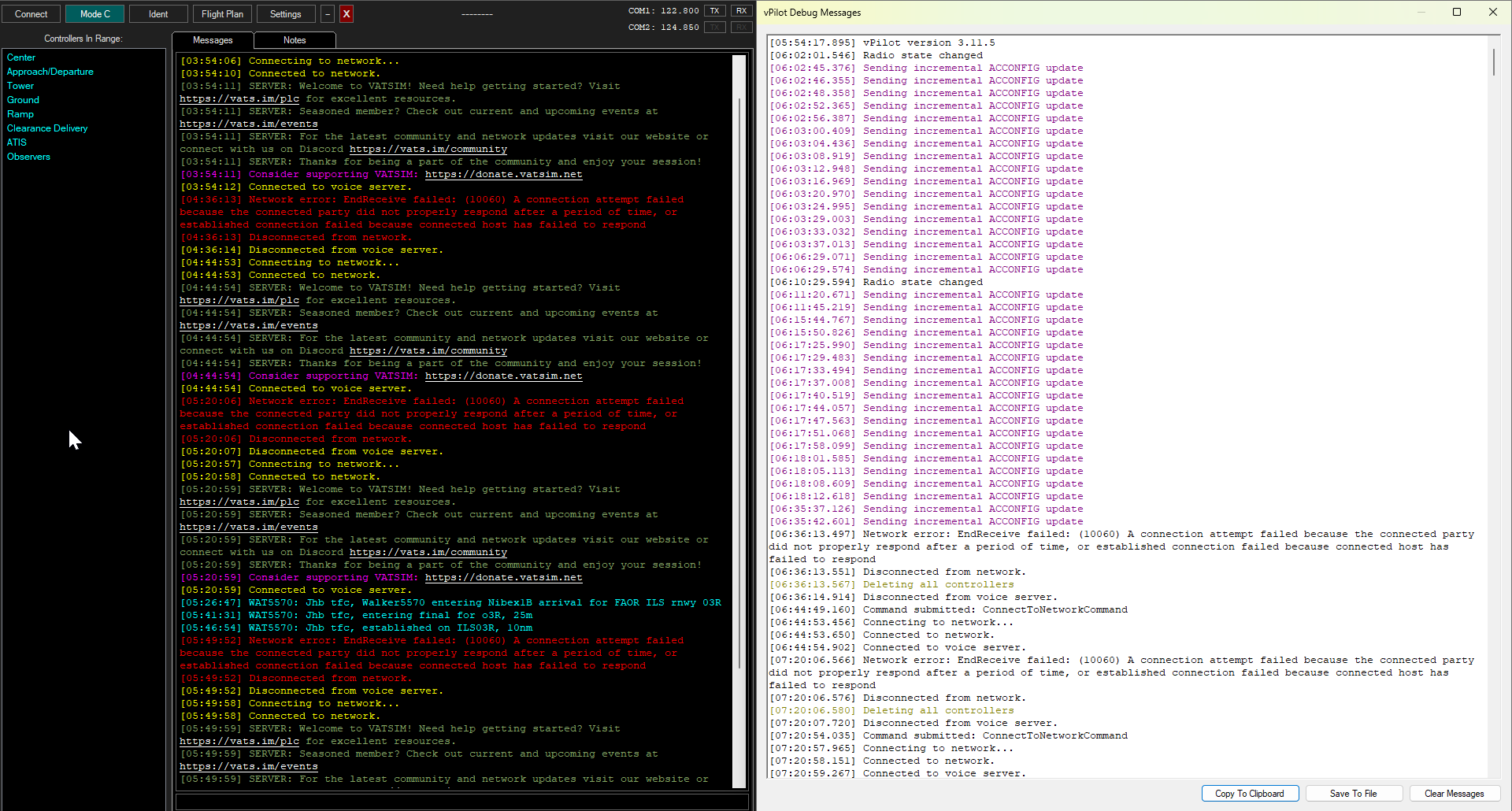
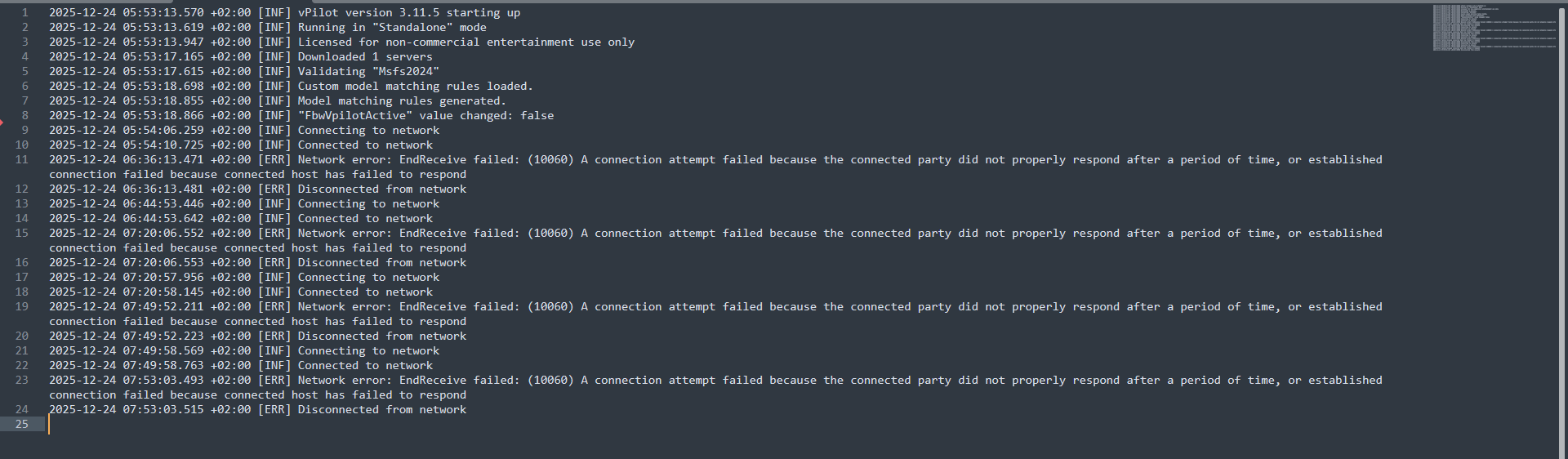
Attached a screenshot of my errors, and the vPilot log.
Edit: vPilot logs UTC time and the log is local (UTC+2) time. Hence the 2 hour difference between vPilot and vPilot log.
Q: I am getting EndReceive (e.g. 10053, 10054, etc.) and/or Connection (e.g. 10060, etc.) errors. Any ideas?
A: These are actually not vPilot errors; vPilot is simply reporting that an error has occurred. The EndReceive (e.g. 10053, 10054, etc.) and/or Connection (e.g. 10060, etc.) errors mean something is interrupting the connection to VATSIM. It’s in the pipe between the server and your computer. It could be caused by server interruption, intermittent internet connection, router issue, power issue affecting the router, etc. A large number of variables/possibilities. Most people who have reported persistent EndReceive and/or Connection issues have reported that rebooting the router resolves the issue (though some members report it is an intermittent resolution). Suggest rebooting your router and seeing if that helps.
Thanks for the response! My router automatically reboots each morning 3AM though.
I want to try and roll back to a previous vPilot version, or try the Beta, but I’m struggling to find them, it’s not available, any idea where to find it?
There have been no changes to the network connection code in vPilot in several years, so trying an older version would be a waste of time. The only way an older version could help is if you have antivirus/firewall software that is only allowing specific versions to connect. You said you tried disabling your firewall. Did you also disable any antivirus software?
And even if it was antivirus software, I would suspect that it would not allow the connection to begin with. The fact that you get disconnected 15-20 minutes later makes it seem like it’s not an antivirus issue.
This feels more like a connection problem somewhere between you and the VATSIM server that you’re connecting to. Could be anywhere in the chain.
Do you have any way to try a different internet connection, or perhaps a VPN?
I agree if it was Antivirus it wouldn’t have connected in the first place. BUT I will surely do the test
I have done a Hotspot from my phone before using 5G (good speed) to test and still had disconnects. I will try the VPN route and report on the findings.
Yesterday I tried playing with FS settings as I read somewhere FS framerates that’s too low can also cause vPilot to disconnect (although I think the disconnect error codes doesn’t suggest it’s framerates?). I increased my target framerate and successfully did a 1.5hr flight with no disconnects. A few hours later I did a 1hr flight and had two disconnects
This morning I’ve updated graphic firmware and will test again later today (in case it is framerate related).
Question on the vPilot servers.. Could it be that my vPilot is connecting to servers with good ping and then transfers to another server with a less than good ping and then I get the errors? I don’t see an option to look for certain servers, and I don’t see the servers I’m connected to in the logs. I think it could help in fault finding to see when servers switch in the logs.
From my routers’ interface I can see when I run FS and vPilot my connections are 98% of the time connected to US and Canada servers, but it just logs my PC’s traffic so I can’t distinguish between FS and vPilot to see which is connected to which. The other 2% is EU connections. From general use of other programs where servers are selectable I’ve had better ping to EU servers than US servers. I’m not sure (I assume not) if vPilot runs on any Africa servers (I’m in South Africa).
You’re probably thinking of xPilot with X-Plane. X-Plane actually slows down its simulation rate if your framerate drops below 20, causing the plane to actually fly slower than the instruments say it is flying. This causes problems for ATC since your ground speed is not accurate. So xPilot disconnects you if your frame rate is below 20 for too long. vPilot does not do this because the sims that vPilot supports do not have this time dilation issue.
No, it does not switch servers. When you connect, you usually get connected to the geographically closest server, and you will remain connected to that server for the rest of the session. You might get a different server the next time you connect, but generally not … generally you will always connect to the same server. (Unless your usual server is full, in which case you’ll get a different one.)
I use Avast antivirus, I made an exception for vpilot.exe and did a flight, it then disconnected 15min into the flight.
I then disabled Avast and made sure the process is not running and did a flight again, went almost 50min but then on approach it disconnected again. I think that rules out that it’s not the antivirus. I think controllers by now are thinking I can’t land and disconnect on purpose, I connect immediately again but it usually then just lasts 1-2min then disconnects again. This time for the first time I got an authentication error, I assume it’s because I try to reconnect immediately each time it disconnects and there might be a timeout rule.
2025-12-25 20:20:56.503 +02:00 [INF] vPilot version 3.11.5 starting up
2025-12-25 20:20:56.565 +02:00 [INF] Running in “Standalone” mode
2025-12-25 20:20:57.125 +02:00 [INF] Licensed for non-commercial entertainment use only
2025-12-25 20:20:59.706 +02:00 [INF] Downloaded 1 servers
2025-12-25 20:21:01.156 +02:00 [INF] Validating “Msfs2024”
2025-12-25 20:21:02.336 +02:00 [INF] Custom model matching rules loaded.
2025-12-25 20:21:02.485 +02:00 [INF] Model matching rules generated.
2025-12-25 20:21:02.494 +02:00 [INF] “FbwVpilotActive” value changed: false
2025-12-25 20:21:07.985 +02:00 [INF] Connecting to network
2025-12-25 20:21:08.185 +02:00 [INF] Connected to network
2025-12-25 21:12:56.134 +02:00 [ERR] Network error: EndReceive failed: (10060) A connection attempt failed because the connected party did not properly respond after a period of time, or established connection failed because connected host has failed to respond
2025-12-25 21:12:56.141 +02:00 [ERR] Disconnected from network
2025-12-25 21:13:05.455 +02:00 [INF] Connecting to network
2025-12-25 21:13:05.642 +02:00 [INF] Connected to network
2025-12-25 21:13:39.117 +02:00 [ERR] Network error: Client authentication response timeout
2025-12-25 21:13:42.074 +02:00 [ERR] Disconnected from network
Tomorrow I’ll try the VPN route. Thanks for the input so far.
Interestingly, mine also happens 95% of the time when I go from CTR to APP controllers, or from APP to TWR. Since the start I’ve been saying it mostly happens on approach phases of flight. Today testing with VPN. Then I’m flying where there’s no ATC. Then I’m flying where there’s ATC. Doing the .debug as I go, will post findings soon.
With VPN it also disconnects the vPilot, I have higher ping with VPN and FS every now and again says it doesn’t have a good connection, but vPilot stays connected until approach, on approach it disconnects.
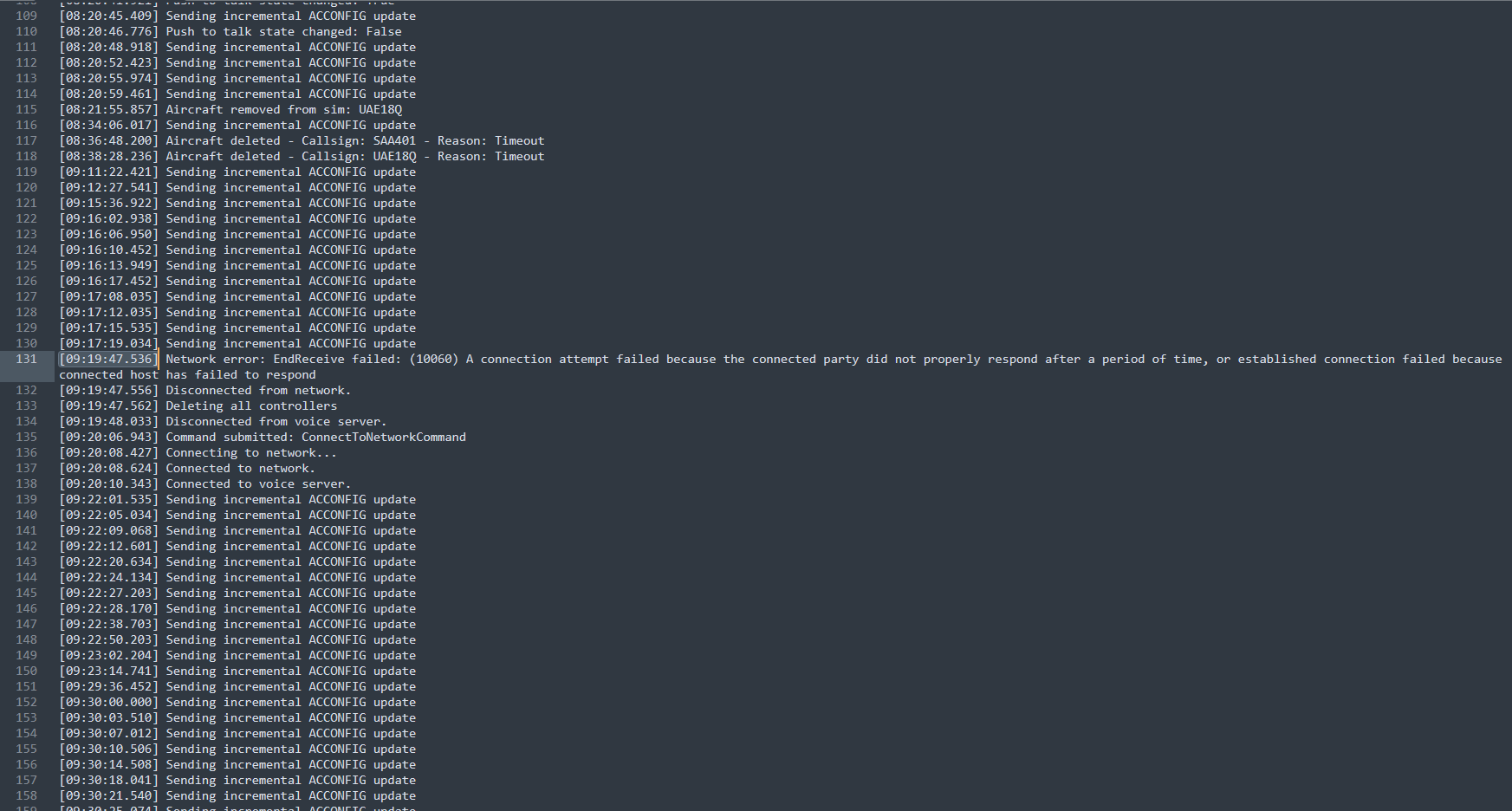
I flew with no ATC online to exclude variables. Made two logs. Below log 01 is from FAOR to FAUP. Went great, midway through approach when I lowered the gear it disconnected.
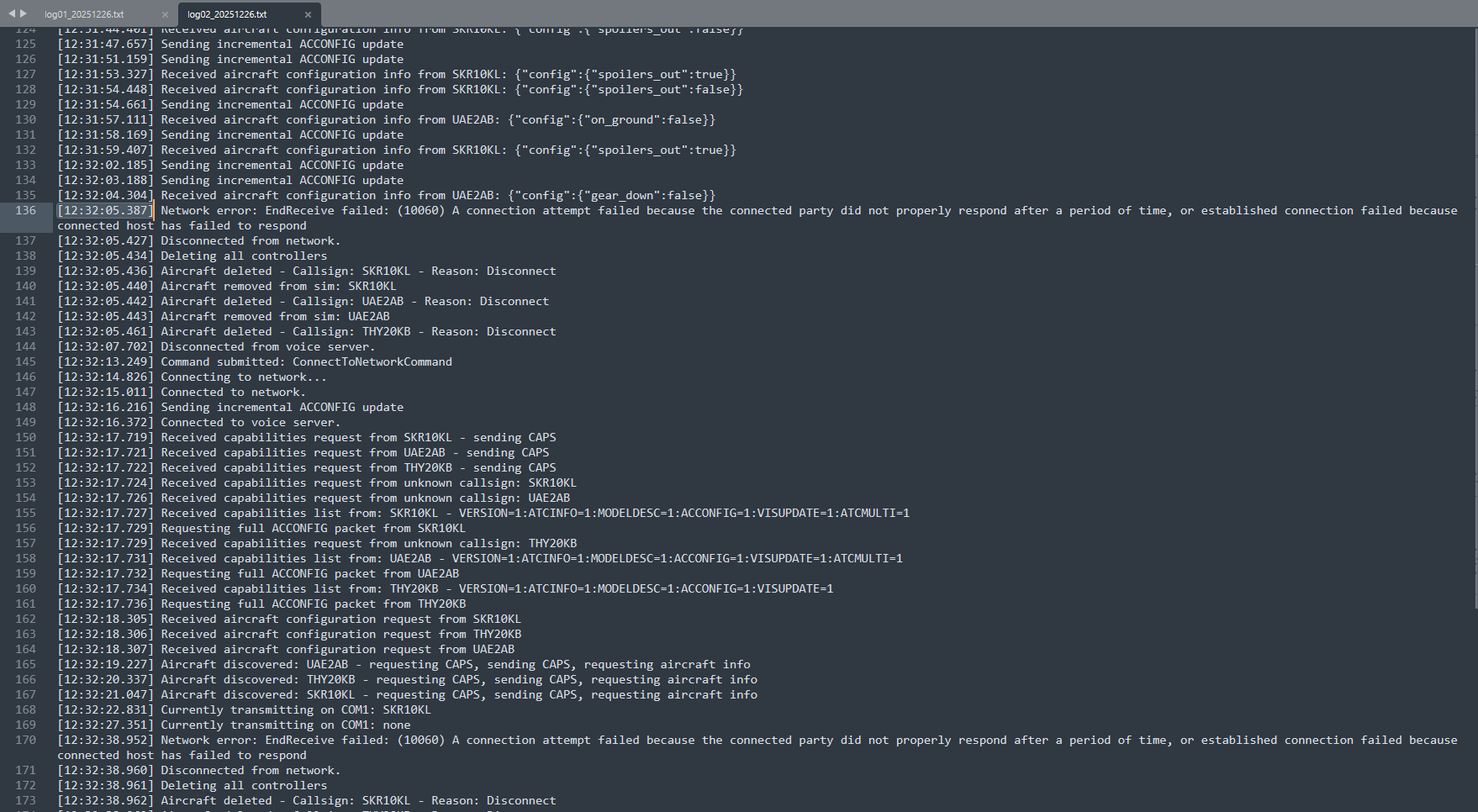
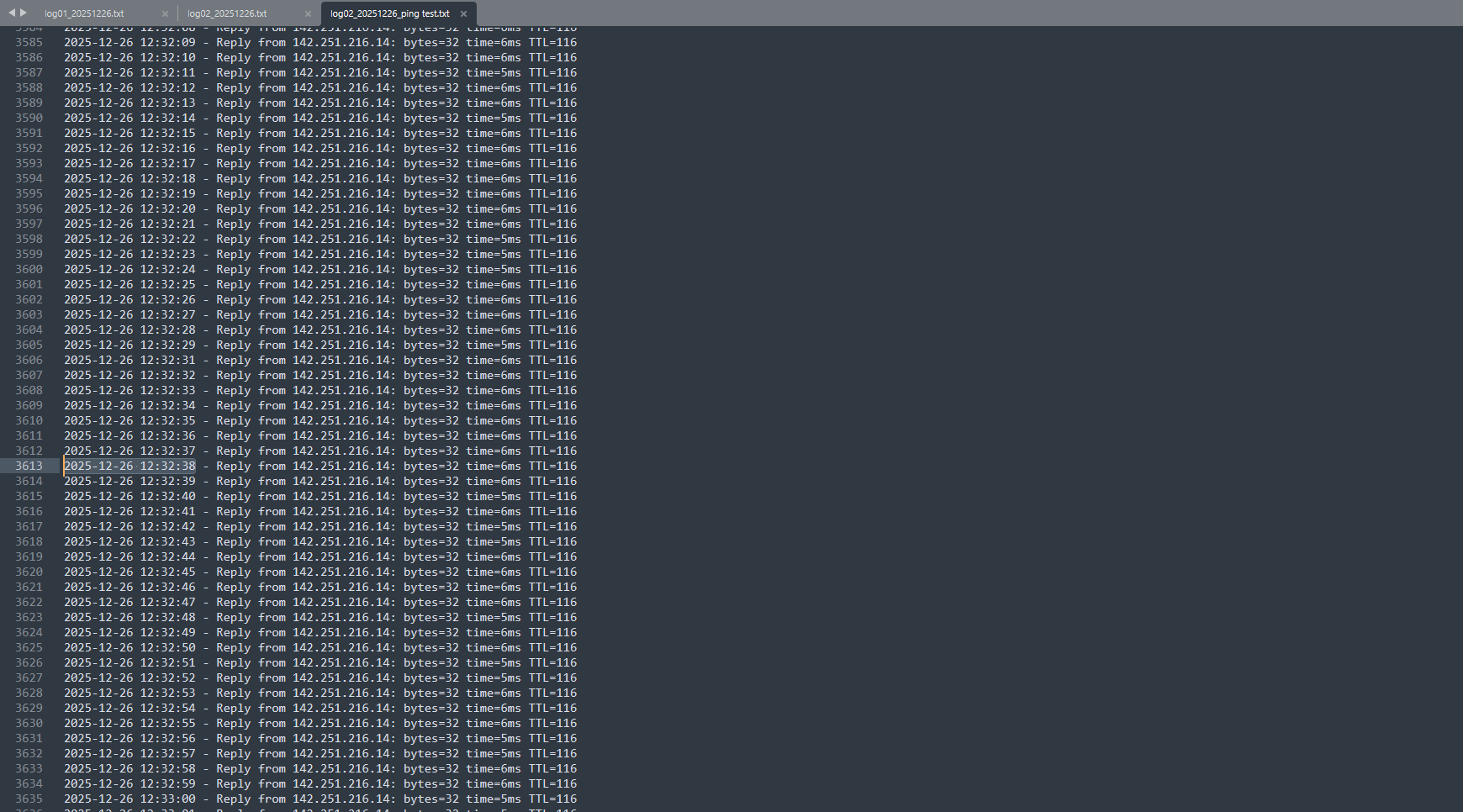
While running log 02, I ran a Google ping test in the background. I STRONGLY doubt it’s my connection, my ping didn’t flinch for 1 second during the entire flight. If I have the Vatsim/vPilot IP I can run the same test for that specific IP. I was at 5-6ms ping during that time. If network was congested or a something taking up all my bandwidth the ping would have spiked.
I’m unable to attach files here, if you’d like I can also send the log files via Discord or a platform of your choice.
Thanks for the assistance so far. I know it’s holidays, please prioritize family time over this issue. When you’re available I’d appreciate further fault finding assistance.
It looks like it happened more than 2 minutes after you dropped your gear, since the last “Sending incremental ACCONFIG update” message (which gets sent when you raise/lower gear, raise/lower flaps, turn lights on/off, etc.) was at 09:17:19 and the disconnect was at 09:19:47.
In log2, for the first disconnect, there was an ACCONFIG update message sent 2 seconds before the disconnect, but for the second disconnect, it was about 22 seconds between the last ACCONFIG update and the disconnect. And you were only connected for less than 30 seconds that time. So the duration of time between connecting and getting disconnected seems to be quite varied.
Unfortunately, testing with ping only tells one small part of the story. Successful pings only mean that you can successfully ping the server. Other packet types can still be adversely affected even if ping seems fine. Granted, ping can be very helpful to identify many (most?) types of issues, such as packet loss, so it’s a good thing to try.
Error 10060 generally means that vPilot sent a packet to the server, and the server did not respond with an acknowledgement of having received that packet within a certain timeout interval. This could be due to packet loss, which would be shown using ping, but only if you are pinging the actual server that vPilot is connecting to. I think the best way to determine which server you are connected to is to open at Windows Resource Monitor and look in the list of TCP Connections on the Network tab. Find the connections from vPilot.exe … there should be two, one to the VATSIM FSD server, and one to the voice server. Try pinging the FSD server IP, letting it run for a while, to see if you get any packet loss. I’d say let it run for a good 20 or 30 minutes, since the packet loss could come in waves.
Your error code is different from mine, I suggest opening a topic for it if below recommendations doesn’t work.
Do a fault find tick off method, for instance try the following:
Make sure you’re connected via Ethernet cable and not Wifi
Disable firewall completely, run a test
Disable Antivirus, run a test
Try a different network (like your mobile hotspot if it has good speed)
Etc.
Then on your topic, list what you’ve tried and the findings of all.
What’s strange to me is this doesn’t happen during flight, no matter how many Hrs the flight is, where I fly, how many airplanes are online, how many controllers are online, it ONLY happens during approaches, on the final stages during or after I’ve started configuring the A/P for landing.
Yesterday tested two flights with no ATC online, 2-3 planes max, both flights disconnect during approach (the 01 and 02 logs already posted).
Last night I participated in an event, EDDF to EKBI, there was a ton of airplanes online and full ATC out of the EDDF area. Getting closer to EKBI there was no ATC and on final 6nm inbound it disconnects again, I reconnect immediately, this loops 4-5 times and after touchdown it doesn’t disconnect.
I’m stating above as in my case this only seems to happen on approaches, and I stated the Gear down Flaps down previously as I’m trying to pinpoint when this seems to happen and what (if any) could trigger it.
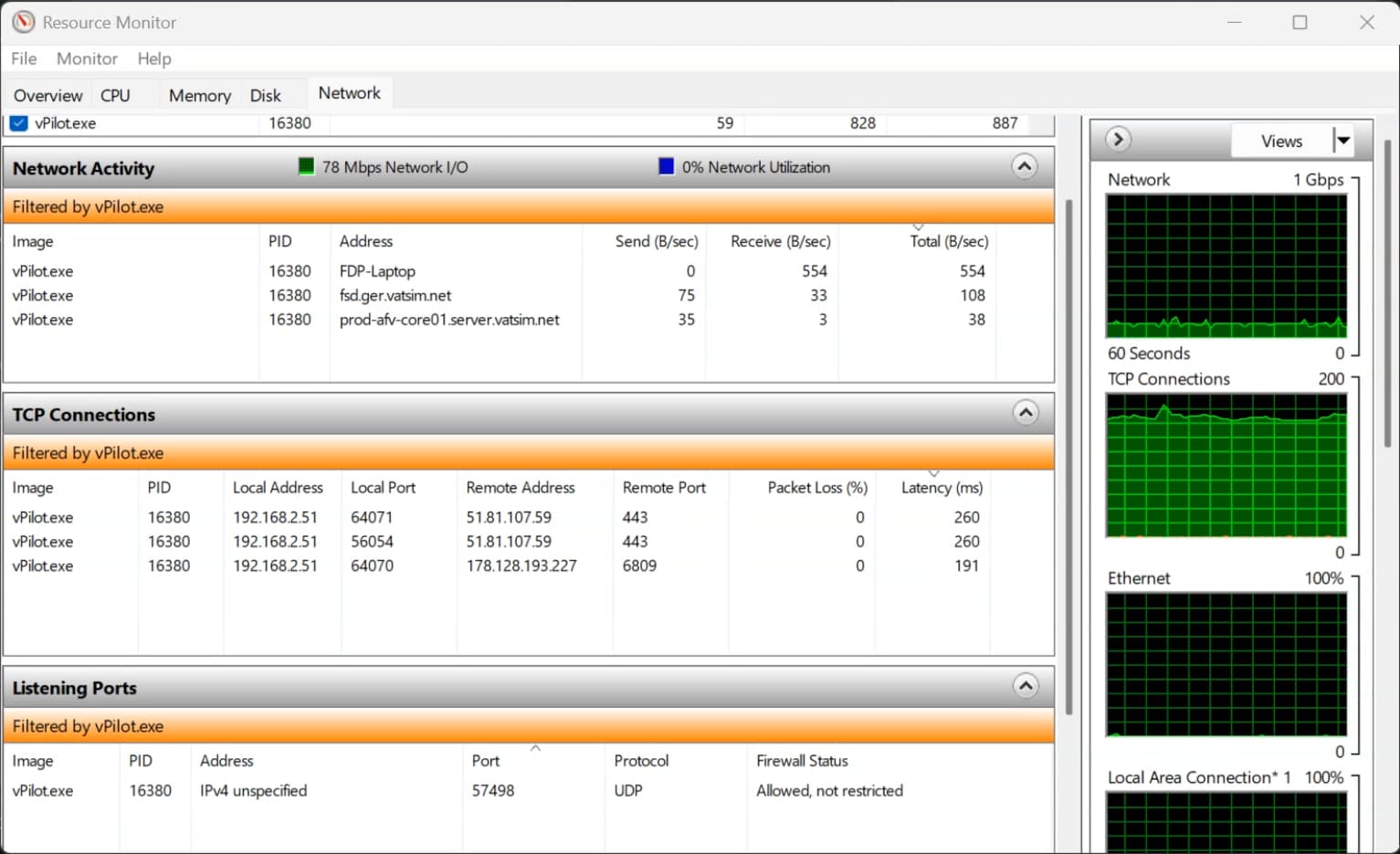
Using the WRM tool you mentioned above, I can see I connect to 51.81.107.59 and 178.128.193.227 but I’m unsure which one is voice and which one is FSD. So far 51.81.107.59 looks to sit solidly at 260ms, and 178.128.193.227 sits at 180ms and peaks to 200ms. I’ll do further testing and also log during approaches.
I don’t see an option for vPilot to reconnect automatically, I know it reconnects the voice server if voice only disconnects, but wouldn’t it be beneficial to have the FSD server also automatically reconnect? Maybe do a 3 time reconnect attempt and if it doesn’t reconnect after 3 attempts then only stay disconnected?
The only way that I could see an actual causal link between being on approach and the connection dropping is if the approach phase causes your PC to be overloaded either due to very complex scenery coming into view or a high number of aircraft coming into view, or both. You said that it happens regardless of the number of aircraft. Can you test if it happens at very simple airports without a lot of scenery objects?
You could also try turning your graphics detail settings down to the minimum. Maybe also try disabling live streaming of scenery data. (I think there’s a way to do that, not sure, I don’t use MSFS.)
Also check to see if this happens when there is a spike in network usage by the sim or a spike in CPU/memory usage by the sim.
The 51 IP is the voice server. The 178 IP is the actual FSD server in germany.
The ping times that you listed aren’t great, but they’re fine as long as they are relatively consistent without any packet loss. Packet loss is what we actually care about. If you have any packet loss, that can explain the 10060 error.
I have a good-ish spec PC. Intel 14650 CPU, 6040 Nvidia graphics, 16GB ram.
The Invidia app recommends Medium to High settings for most settings, I however put everything to medium and later everything to low. Still have disconnects.
MSFS does download as you fly yes, I found a setting where I can limit the MSFS bandwidth and I lowered it from Unlimited to 40mbps (I have a 100mbps connection). It still disconnects. Monitoring my connection bandwidth through my router interface it rarely goes over 50-60mbps while using the sim with vPilot.
I’m out of ideas on what to look for further.
I asked in our local VA and local Vatsim region Discords and a few people replied saying they have disconnects. Three people were willing to check their pings for me and both their Voice and FSD pings around 180-200ms. Is this not maybe a problem with us in South Africa not having a server close enough? Our local Vatsim ATC said they don’t have disconnect problems but they regularly see pilots disconnect when they start vectoring them in to airport spaces. Some then connect again and others don’t.
Longshot since you get another error than me, but does your motherboard use an Intel I226-v onboard network controller?
If you have another controller, disableng EEE under adapter settings (device manager) and uncheck the option that let PC turn off power on network controller while idle over time (power saving) could do something for you as well. Seems to have helped me alongside updating driver from Intel support, not MSI support.
Worth a shot I guess
Hi Ross, yes. The section showing packet loss has never been above 0 and I made 3x 60min videos recording it while flying, even when it disconnects on approaches it stays on 0. I can’t upload videos here, but here’s a screenshot from one of my recordings. I also ran [ping 178.128.193.227 -t | ForEach {“{0:yyyy-MM-dd HH:mm:ss} - {1}” -f (Get-Date), $_}] in PowerShell on one of the flights but it shows the same as the resource monitor so I just stuck to resource monitor for monitoring.