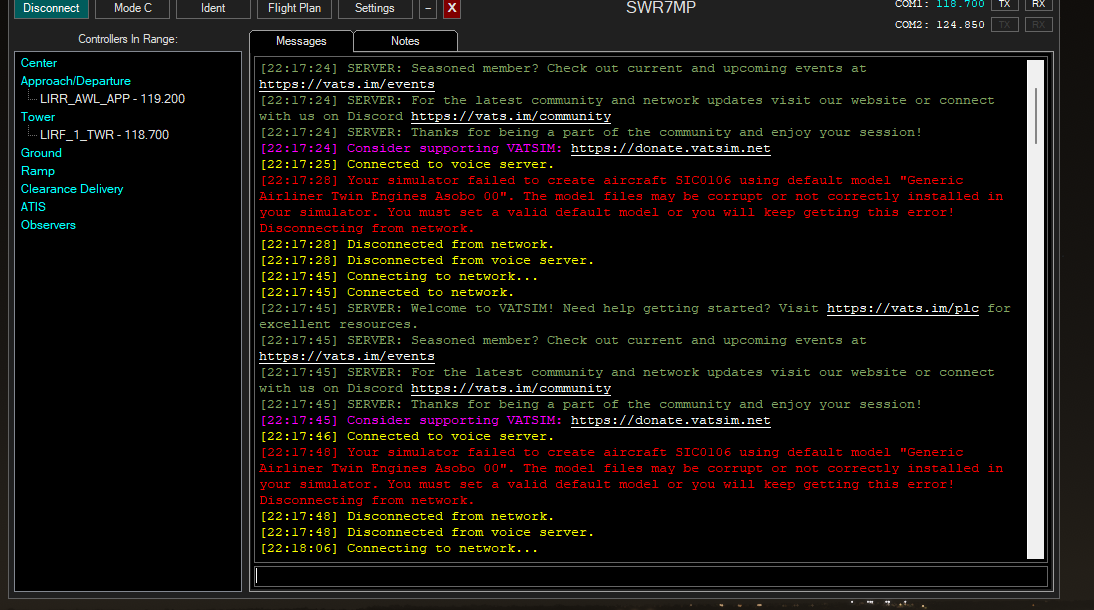
I cannot log into VATSIM because my V-Pilot gives me the following error when trying to save my settings:
The default model field is set to Generic Airliner Twin Engines Asobo 00, which I believe should be correct and I have tried pressing the reset button, but that doesn’t work either.
As the message says, the default model was not found when vPilot scanned your installed models. Have a look in the advanced model matching settings to see a list of models that were found, and choose one of them instead.
I am also having this issue. I don’t know why I haven’t done anything to my sim or changed anything. and now i cant even save my new PPT without getting this message. I’ve tried uninstall and reinstall. I have no clue what’s wrong
Hi,
You found a solution in the meantime for the Generic Asobo 00 couldn’t be found?
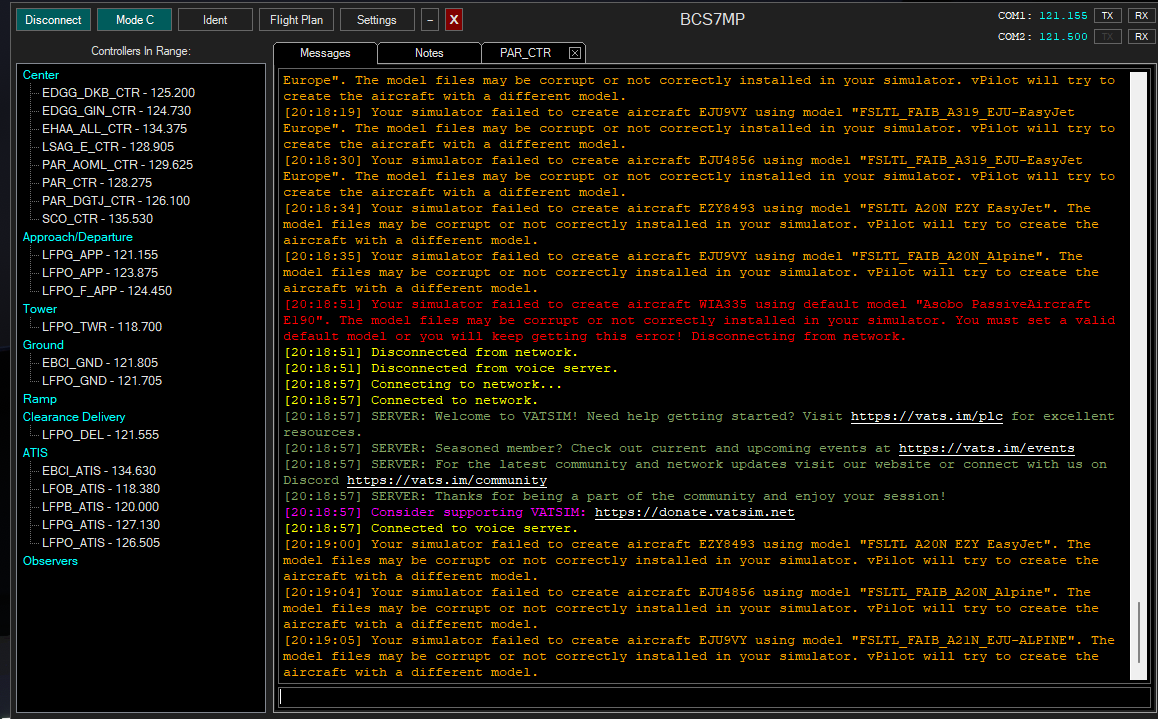
I have the same problem. Since 10 days my, without any changes, my vpilot just disconnects with a red message that says “Generic Airliner Twin Engines Asobo 00” may be corrupt or not correctly installed.
I can’t do a Vatsim flight without re-connect 15-30 times.
And I also re-installed vpilot and FSLTL and for the first time PerfectModelMatch today. No changes, still the same error.
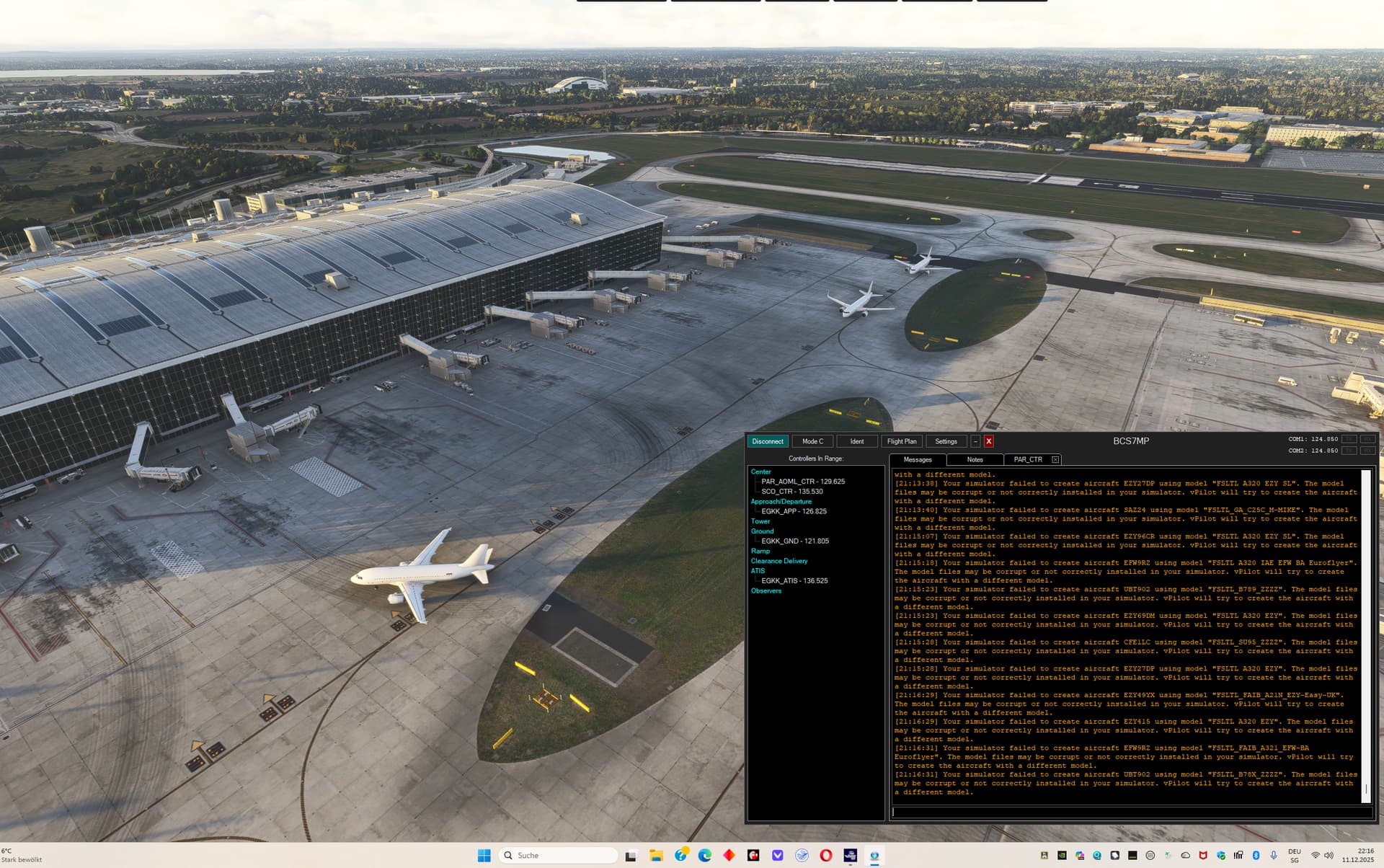
Thanks for answering. The problem is that all planes look the same. A white Airbus A320. FSLTL downloaded today again and added FSLTL_Rules.vmr to MSFS 2024 Custom Rules. The “fsltl-traffic-base” folder with all the models is 48.2 Gb big.
And still I have not a single plane that matches the ICAO code I see on vatsim-radar.com or VATspy…
I send a picture from Heathrow British terminal. They should have a BA livery.
I am really lost. I don’t know what else I can do…
Thanks Marcus. What I did right now, instead of using Addon-Linker, I copied the whole “fsltl-traffic-base" folder in the community folder (I use MS store not Steam).
So far I didn’t see a change. I still have the orange messages in vpilot. Not that many, but this is because now there aren’t many people online, I guess.
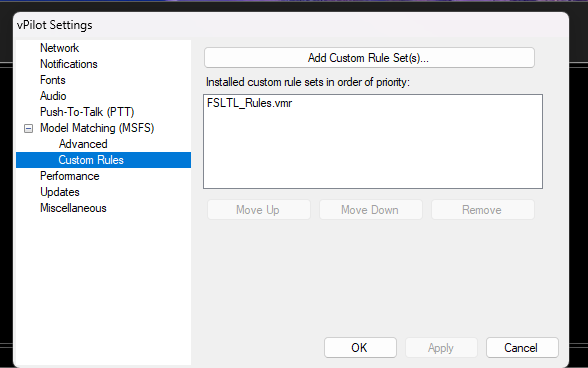
Have you added the custom rule set vmr file in Vpilot? you need to point Vpilot to a vmr file otherwise it will not create the models you should be seeing. To me looking at the screenshots you created, you have not done that. You should have something like what I put in your Vpilot custom rules.
It‘s funny. As soon I copied the “fsltl-traffic-base" folder in the community folder and not using Addon-Linker: it works! No orange and most important no red messages that disconnected me from Vatsim.
Now, I am happy, I can fly in MSFS 2024 with Vatsim!
I just wonder why in MSFS 2020 with the same Vpilot version, the same FSLTL version, the “fsltl-traffic-base" folder on a separate SSD but linked with Addon-Linker to the community folder, worked and in MSFS 2024 it also did at the beginning and 2 weeks ago it suddenly stopped…
I just hope it works from now on!
Thank you very much for your help Ross and Marcus!!