I posted this on Discord a few days ago but got no response from anyone. Hopefully I’ll have more luck here!
I just installed vPilot on a new desktop PC connected to my FS PC via LAN. I run vPilot remote with voice on the networked PC. Both PCs have Windows 11 Home 64-bit edition.
MSFS2020 on my FS PC connects OK to VATSIM so remote VP does communicate with host VP.
But voice remote VP does not, and the PTT button on my FS PC does not activate TX on the remote PC.
(Remote VP in debug mode shows the sim PTT button state change is detected by the remote VP so that bit works).
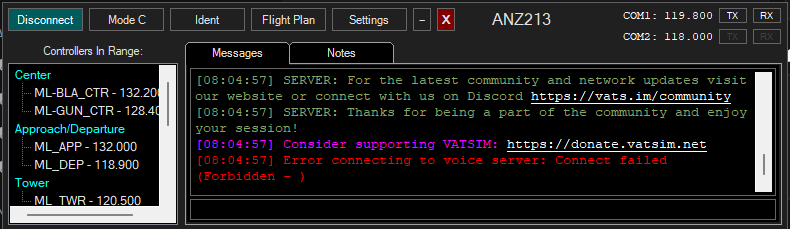
VP error message is “Error connecting to voice server: Connect failed (Forbidden - ).”
Host address and host port are both set correctly on the remote VP.
All worked OK with my old Windows 10 remote PC so must be doing something wrong. Hope someone can help me - VATSIM flying without voice is hopeless for immersion and besides, I’m a lousy typist